Exercise you can keep doing, without getting hurt.
Mooviada plans short strength, mobility and stretching sessions around the parts of your body that need care, the equipment you have and the time you can give. At home, at the gym or outdoors.
Also on Google PlayAlso on the App Store
Free for 21 days. After that, your monthly or annual plan renews automatically until you cancel. Cancel in your App Store or Google Play settings at least 24 hours before the trial ends and you pay nothing. Renewal terms
Who Mooviada is for
Adults who want to move more and are wary of getting hurt. Mooviada was designed by an adapted physical activity professional.
- Starting from scratchYou've never had a routine. Sessions start small and build gradually.
- Getting back to itAfter a break, you restart at a sensible level instead of where you left off.
- Living with stiff or sensitive areasBack, knees, shoulders or neck: you tell the app, and sessions are planned around them.
- Staying independentStrength, balance and mobility for stairs, groceries and getting down to the floor and back up.
Mooviada is not designed for athletic performance training, or for rehabilitation after surgery or injury without your care team's approval.
How it works
Tell us about you
Your goal, activity level, areas that need care, equipment, availability and a few health questions. About five minutes, once.Check in
Each day, say how you feel before you start.Do today's session
Written instructions and a demonstration video for every exercise.Flag what doesn't feel right
An uncomfortable exercise is set aside in your next sessions.
What the app does
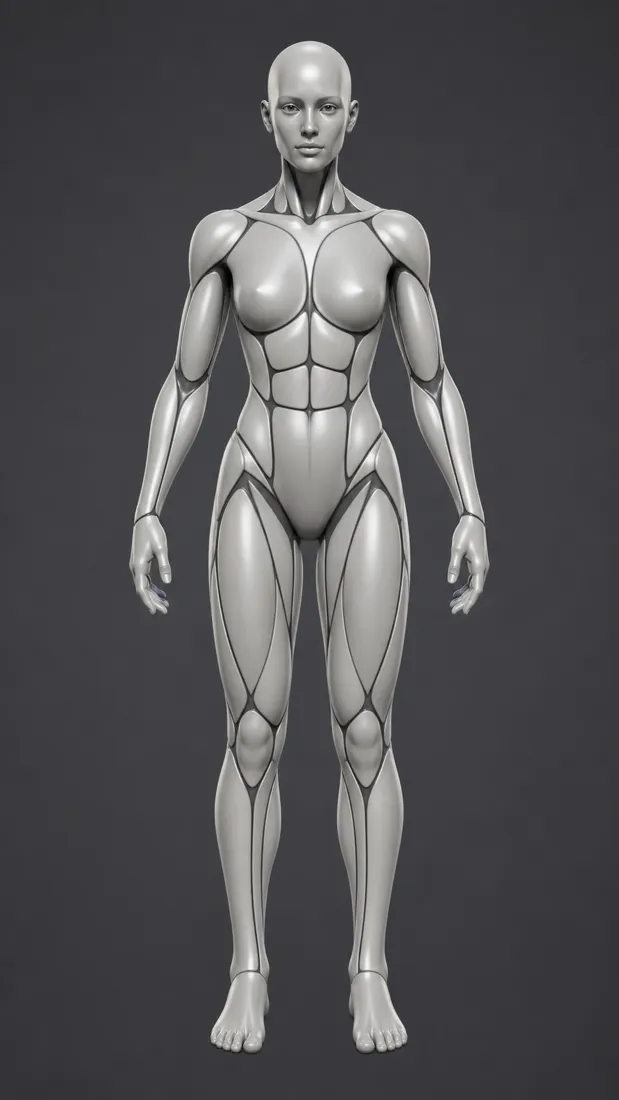
You choose the areas that need care
Neck, shoulders, upper or lower back, hips, knees, ankles. Mooviada uses your choices to pick and adapt the exercises in every session. You can change them at any time, and they never appear on your lock screen.
Sessions take your feedback into account
If an exercise hurts, stop and tap the pain button, then say whether the pain is light or strong. The app adjusts the rest of the session, and the exercise is set aside in your next sessions. Your daily check-in also shapes how the following days go.
It works with where you train and what you have
No equipment is fine. If you train at the gym or outdoors, or have equipment at home, tell the app and sessions will use it.
Equipment Mooviada can use: a chair, a mat, resistance bands, dumbbells, a kettlebell, a Swiss ball, a step, a bench, suspension straps, gym machines, a treadmill and an exercise bike.
- Lia, the in-app guide
- Answers questions about exercises and the app. General guidance, not medical advice.
- Works offline
- Once today's session has loaded, you can do it without a connection.
- A reminder at your time
- Morning, afternoon or evening, at the moment you choose.
- Your progress over time
- Sessions done and how your check-ins evolve. No leaderboard.
- iPhone and Android
- The same app on both.
- Delete everything in one step
- Your account and all your data, from inside the app.
Pricing
Every feature is free for 21 days. You pick a plan when you start the trial.
| Plan | Billing | Good to know |
|---|---|---|
| Monthly | Every month, after the 21-day trial | Stop whenever you want. Access continues until the end of the month you've paid for. |
| Annual | Once a year, after the 21-day trial | Best value. Costs less per month than the monthly plan. |
The exact price in your currency, with any tax, is shown by the App Store or Google Play before you confirm. Renewal terms and how to cancel
Before you start
Mooviada gives general fitness guidance. It does not replace a doctor or physical therapist, and it doesn't diagnose or treat any condition. Check with your doctor first if you have a heart condition, high blood pressure, diabetes, a recent injury or surgery, or are pregnant. Stop and get help if you feel chest pain, dizziness or sharp pain.
Questions
I've never exercised regularly. Is Mooviada for me?
Yes. Your first sessions are based on your current activity level, and progress is gradual.
I have back or knee pain. Can I use it?
Tell Mooviada which areas need care so sessions take them into account, and check with your doctor or physical therapist first if the pain is recent, severe or unexplained. Mooviada is not a treatment for pain or injury.
Do I need equipment or a gym?
No. Many sessions need nothing at all.
How do I cancel?
In your App Store or Google Play subscription settings, at any time. Cancel at least 24 hours before your trial ends and you won't be charged. Step-by-step instructions
Who can see my health information?
We use it to plan your sessions and we never sell it. Details in our Consumer Health Data Privacy Policy.
Start with today's session
Download Mooviada, answer a few questions, and get a session that fits your body and your schedule.
Also on Google PlayAlso on the App Store
Free for 21 days. After that, your monthly or annual plan renews automatically until you cancel. Cancel in your App Store or Google Play settings at least 24 hours before the trial ends and you pay nothing. Renewal terms

On a computer? Scan this with your phone's camera to open the right store.